Rahul Sehjal

Indie hacker in Toronto

Skip the room
1 of 3

Projects

Projects 8 items
Clipsy

Chrome extension · Free · No sign-up

Clipsy

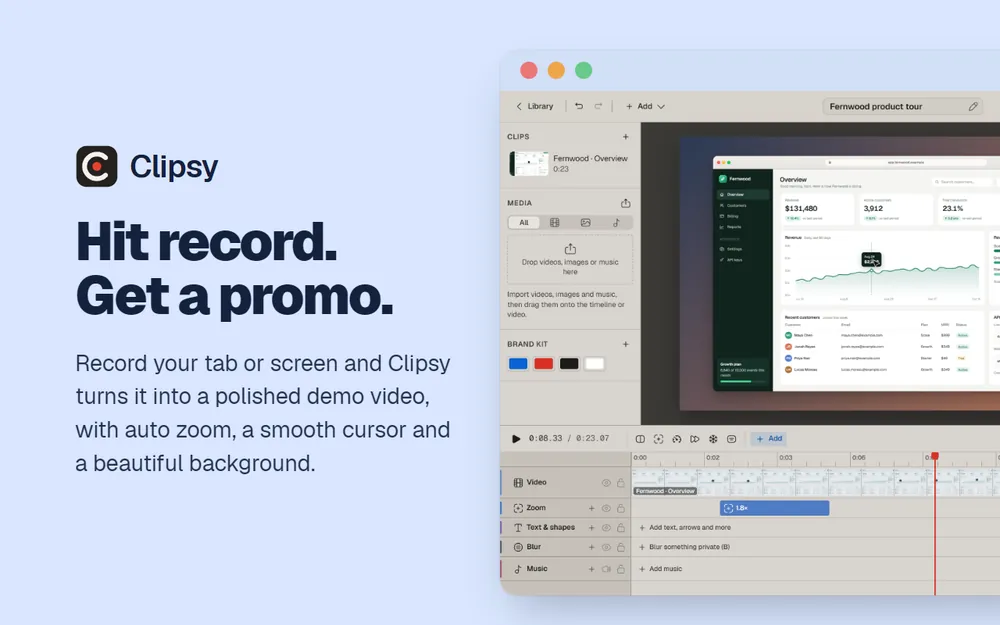
Hit record. Get a promo.

What it does

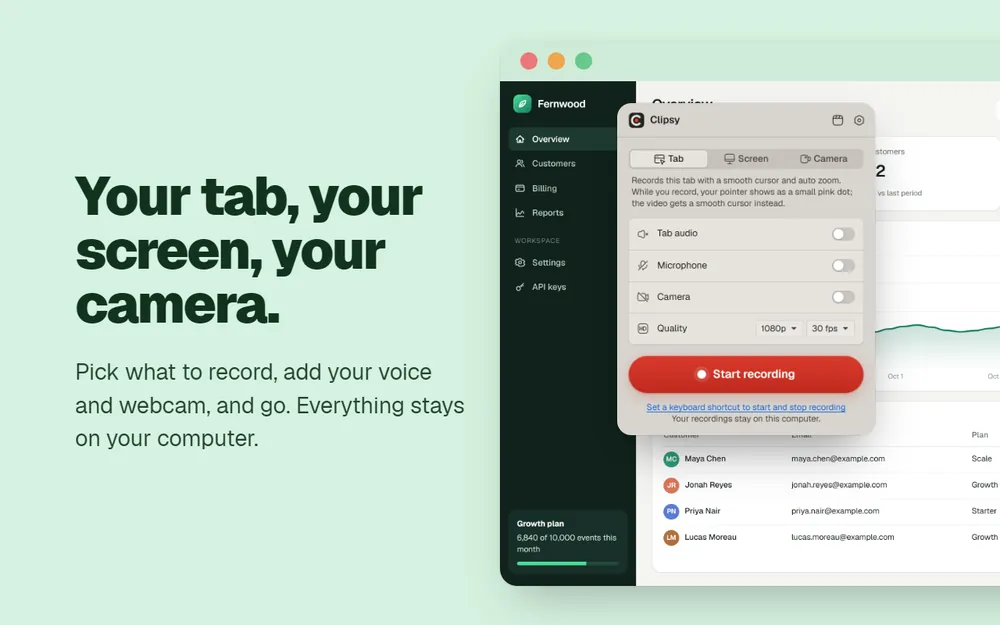
  • Records your tab, your screen or your camera, with your voice and webcam if you want them.
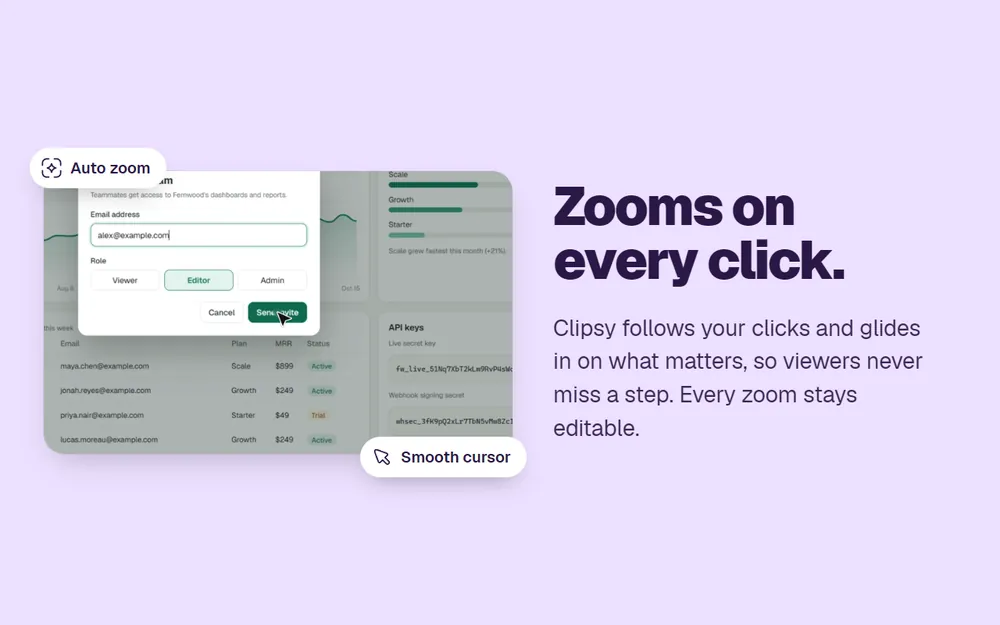
  • Turns the recording into a polished demo, with an auto zoom on every click, a smooth cursor and a clean background.
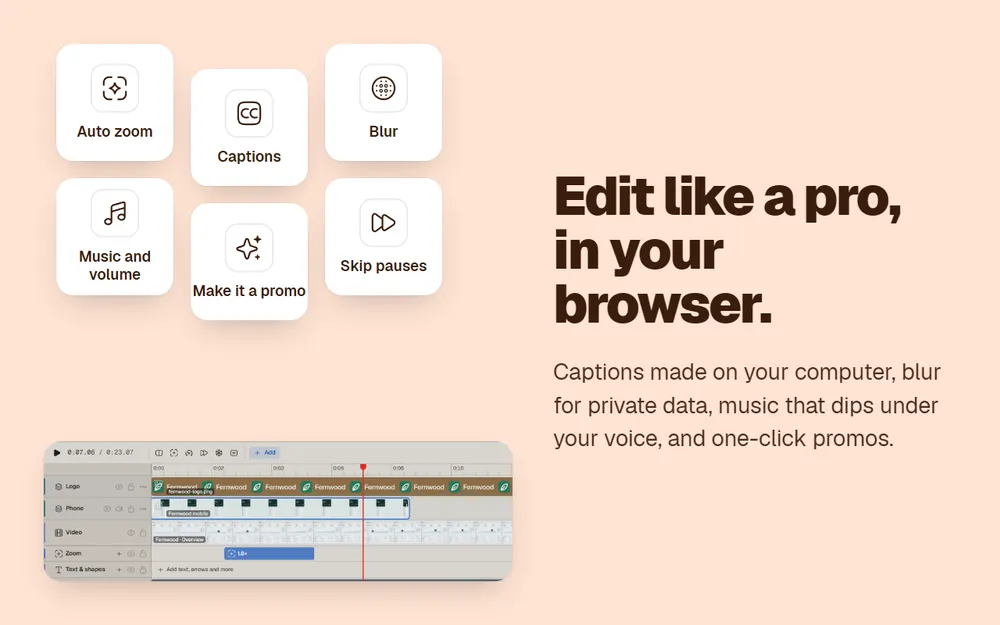
  • Lets you edit right in the browser: captions, blur for private data, music that dips under your voice and skipped pauses.
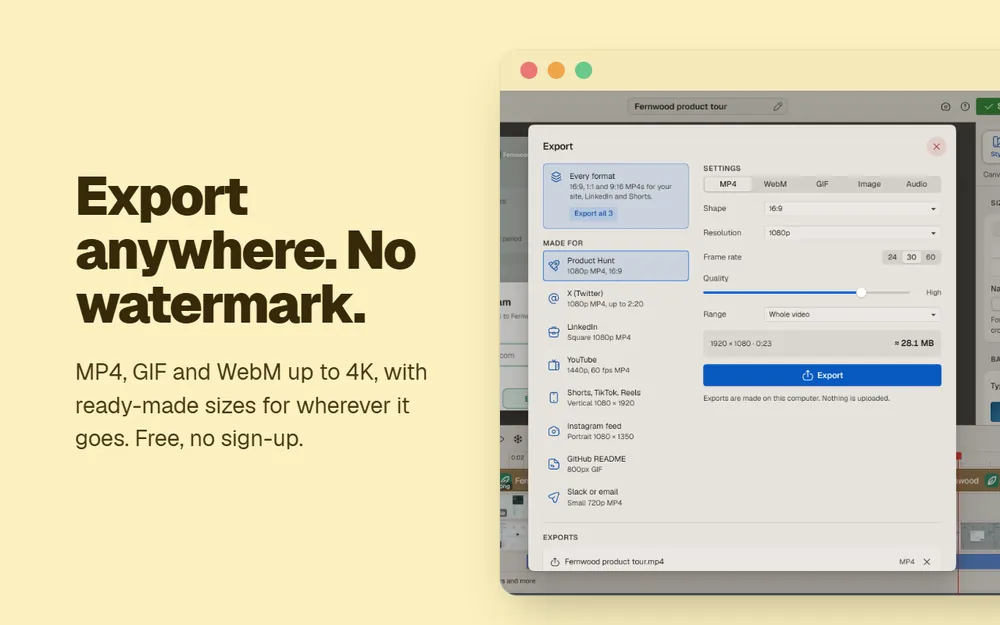
  • Exports MP4, GIF or WebM up to 4K, sized for Product Hunt, X, LinkedIn, YouTube or Shorts. No watermark.

Worth knowing

  • Every zoom stays editable after you record.
  • One click turns a recording into a promo.

Privacy

Recordings stay on your computer. Captions are made there, exports are rendered there, and nothing is uploaded.
BidMy.App

Web app · From $1 · No account

BidMy.App

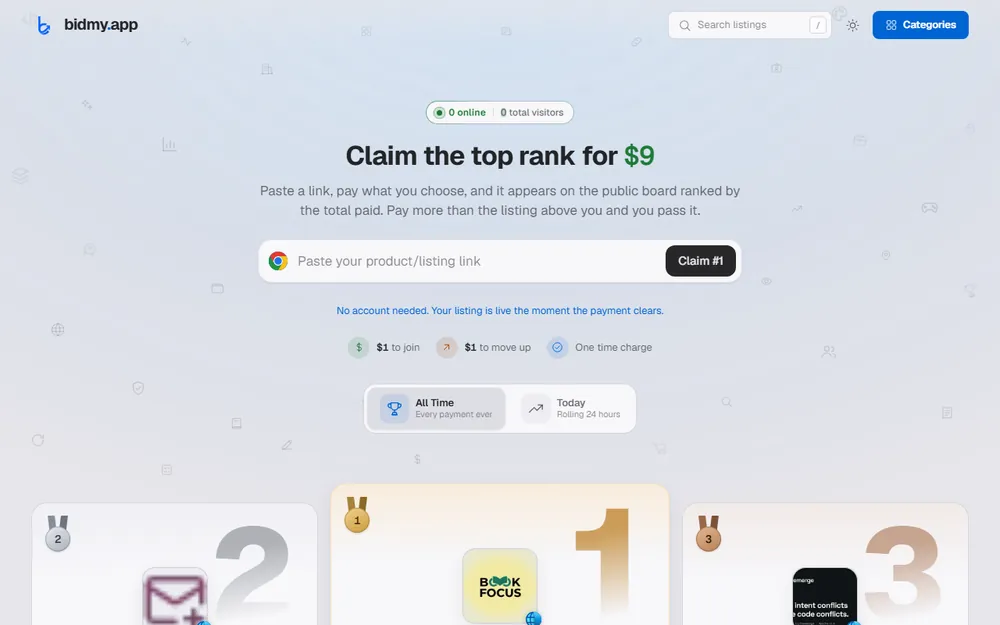
The leaderboard you pay to be on.

What it does

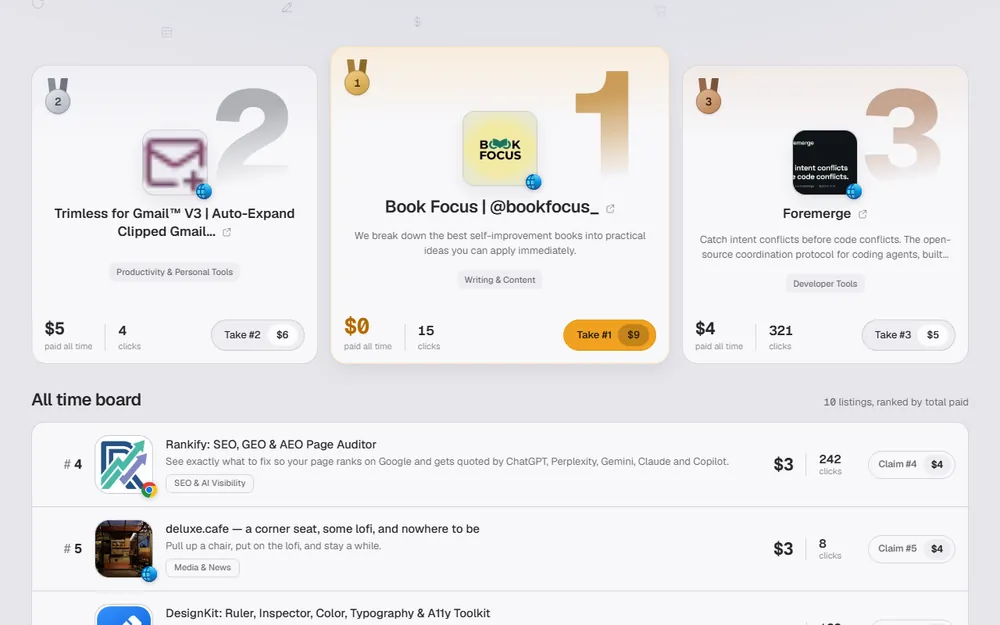
  • You paste a link to your product, extension, app or site and pay what you choose. It lands on a public board, ranked by the total paid.
  • Pay more than the listing above you and you pass it. $1 gets you on and $1 moves you up, as a one-time charge.
  • There's an all-time board, a rolling 24-hour board and categories. Every listing shows what it has paid and the clicks it has earned.

Worth knowing

  • No account. A listing goes live the moment the payment clears.
  • It reads the link and pulls in the name, icon and description by itself.
DesignKit

Chrome extension · Free

DesignKit

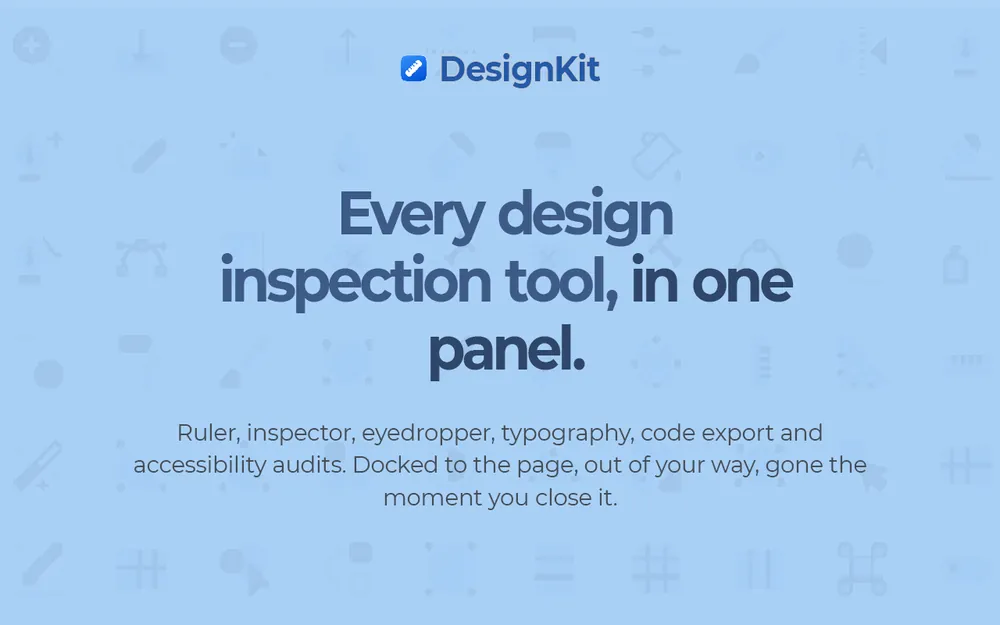
A designer's toolbox, in a tab.

What it does

  • It puts the design inspection tools in one panel: ruler, inspector, eyedropper, typography, code export and accessibility audits.
  • It docks to the page, stays out of your way, and is gone the moment you close it.

The tools

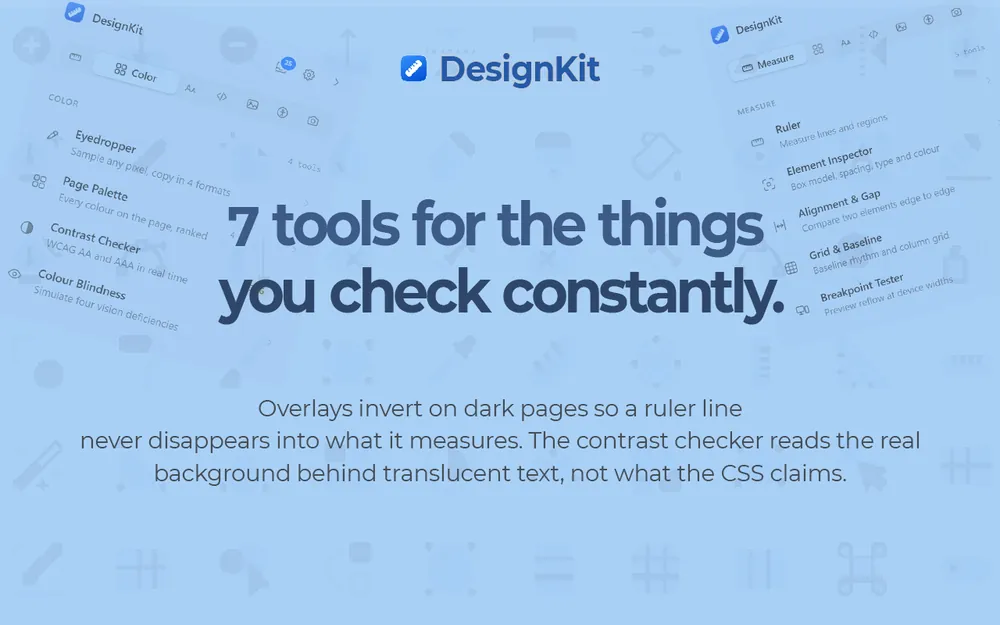
  • A ruler for lines and regions, and an element inspector for box model, spacing, type and colour.
  • Alignment and gap between two elements, a grid and baseline overlay, and a breakpoint tester.
  • An eyedropper that copies in four formats, a page palette, a contrast checker for WCAG AA and AAA, and a colour-blindness simulator.

Worth knowing

  • Overlays invert on dark pages, so a ruler line never disappears into what it measures.
  • The contrast checker reads the real background behind translucent text, not what the CSS claims.
Rankify

Chrome extension · Free

Rankify

Is your page ready to rank?

What it does

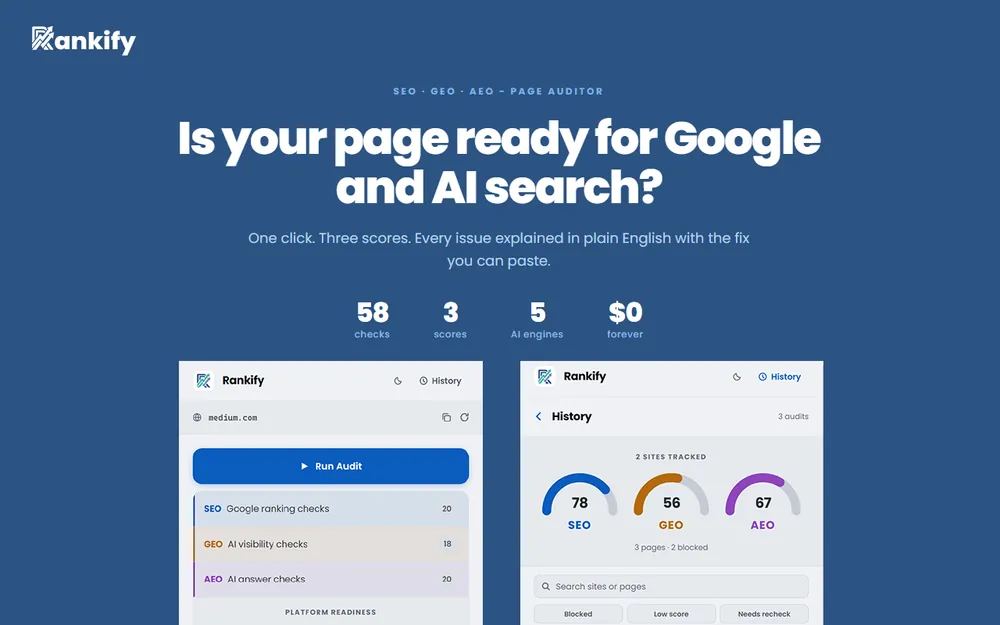
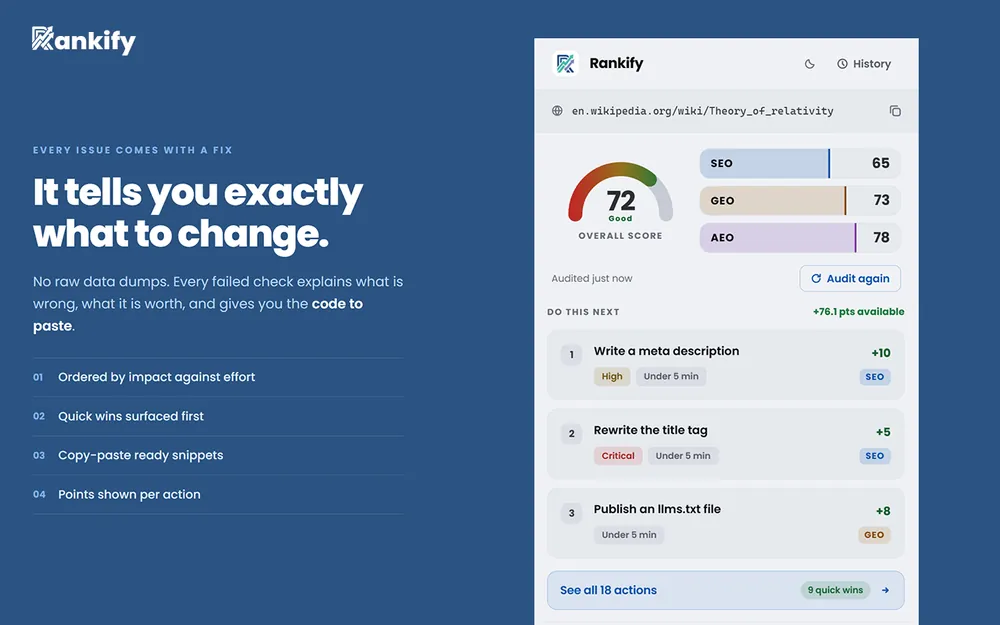
  • One click gives three scores: SEO for Google, GEO for AI engines and AEO for direct answers.
  • It runs 58 checks and explains every issue in plain English, with a fix you can paste.
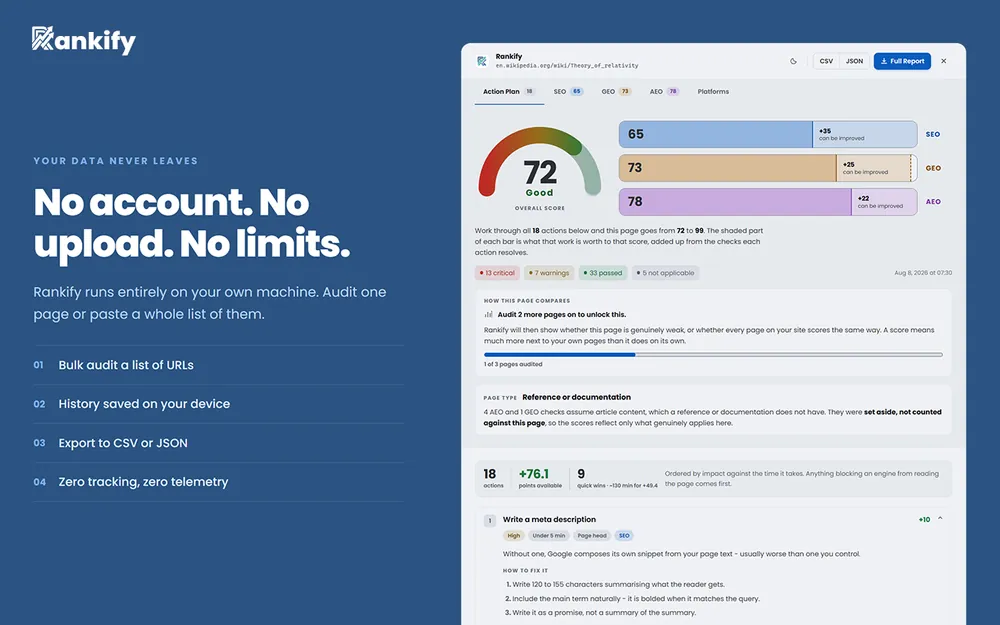
  • Fixes are ordered by impact against the time they take.

The checks

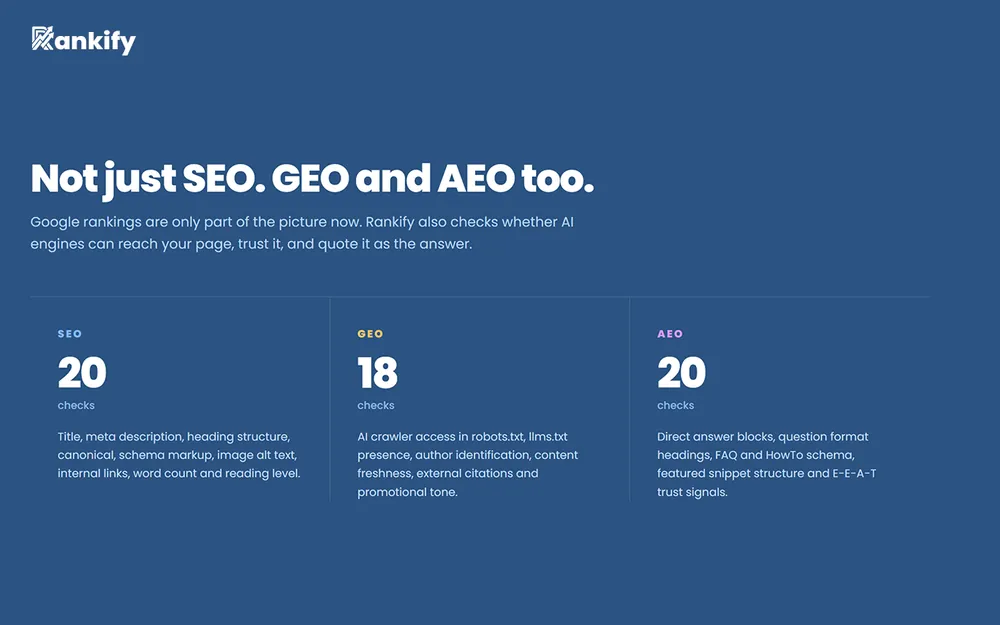
  • SEO (20): title, meta description, headings, canonical, schema, alt text, internal links, word count and reading level.
  • GEO (18): AI crawler access in robots.txt, llms.txt, author identification, freshness, citations and promotional tone.
  • AEO (20): direct answer blocks, question headings, FAQ and HowTo schema, snippet structure and E-E-A-T signals.

Privacy

Rankify runs entirely on your own machine. You can bulk audit a list of URLs, history is saved on your device and results export to CSV or JSON. There's no account, no upload and no telemetry.

PageMark

Chrome extension · Free · No account

PageMark

Highlight, save and study anything you read.

What it does

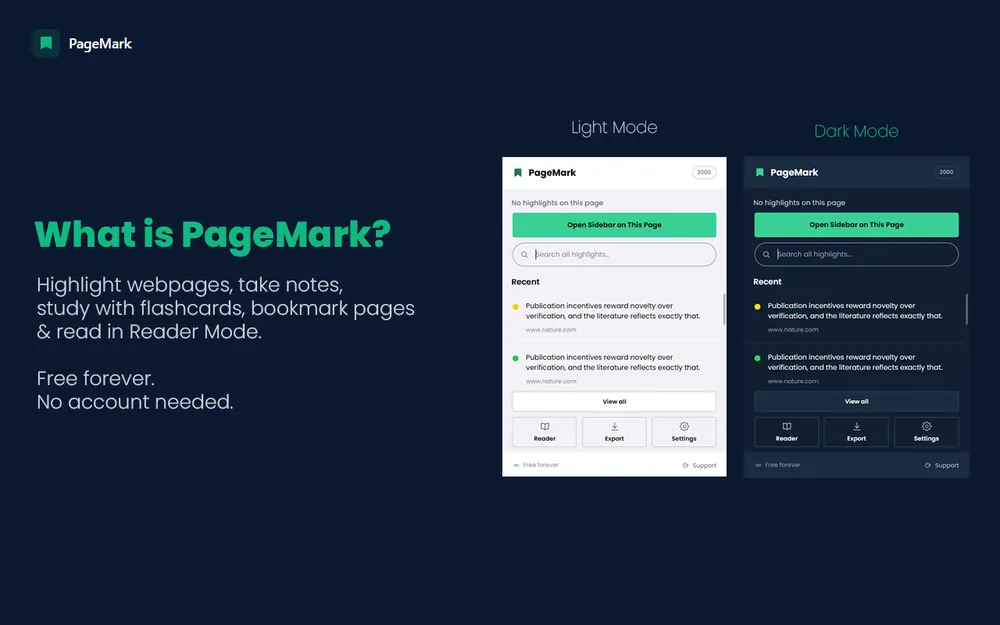
  • You can highlight any web page, take notes, bookmark pages and read in Reader Mode.
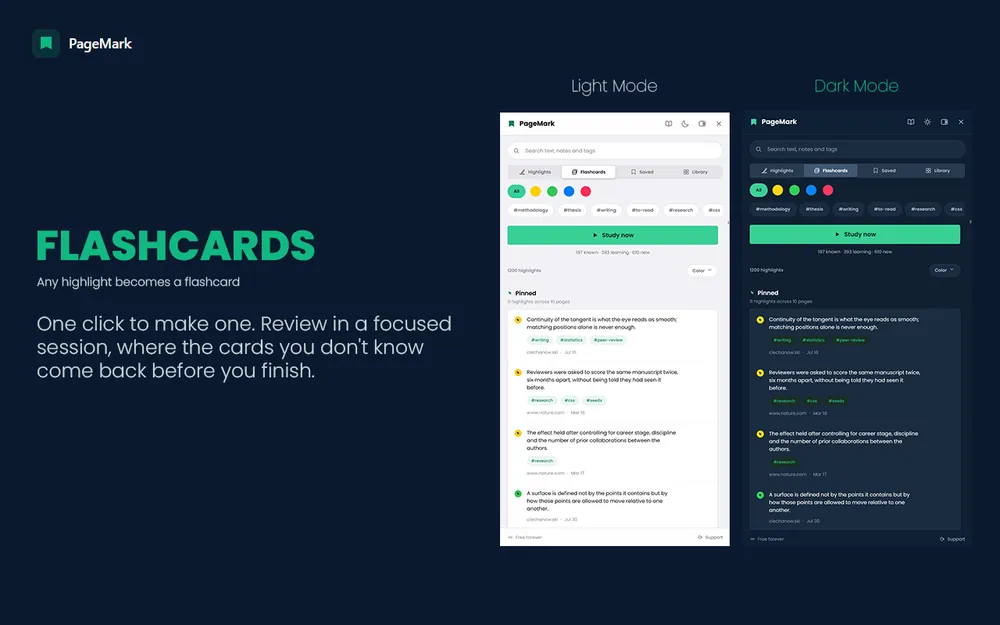
  • Any highlight becomes a flashcard in one click. Study sessions bring back the cards you don't know before you finish.
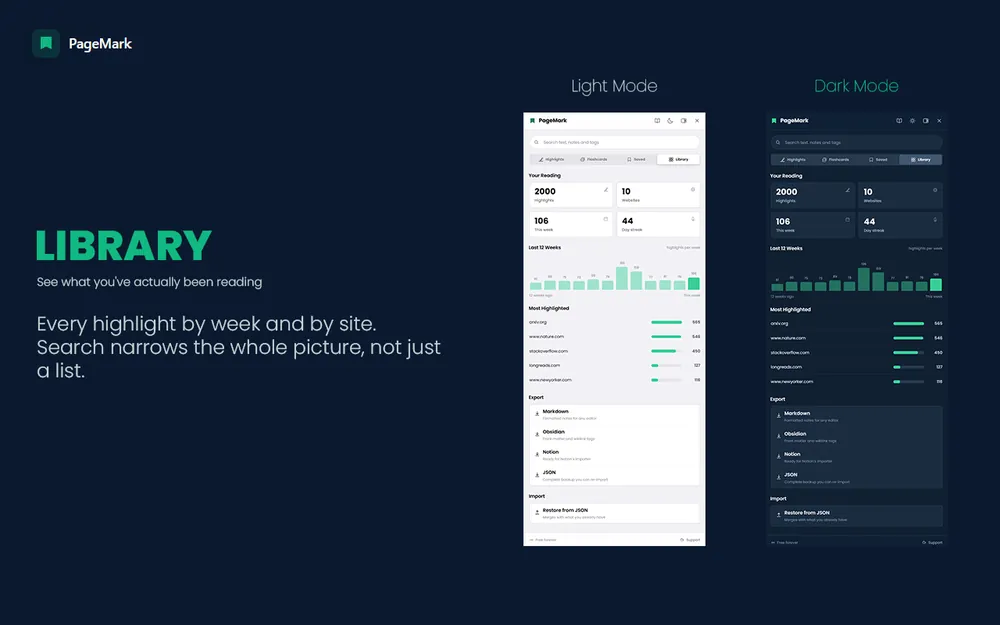
  • The library shows every highlight by week and by site, and search narrows the whole picture.

Worth knowing

  • It exports to Markdown, Obsidian, Notion or JSON, and restores from JSON.
  • Light mode and dark mode.
TabMan

Chrome extension · Free

TabMan

Tabs, organized. Nothing sent anywhere.

What it does

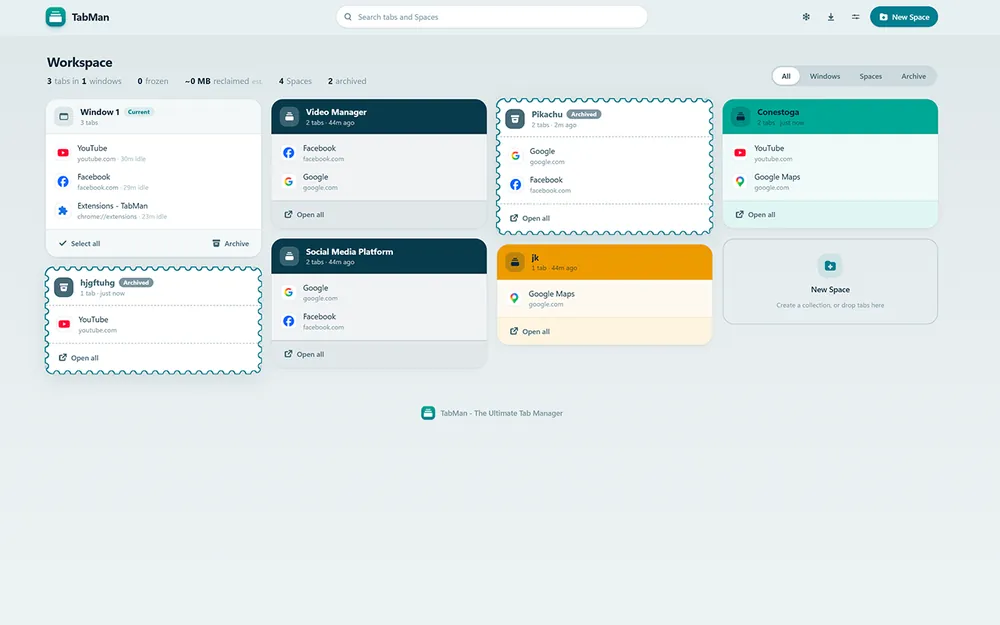
  • It shows every tab across every window in one workspace, with how long each one has been idle.
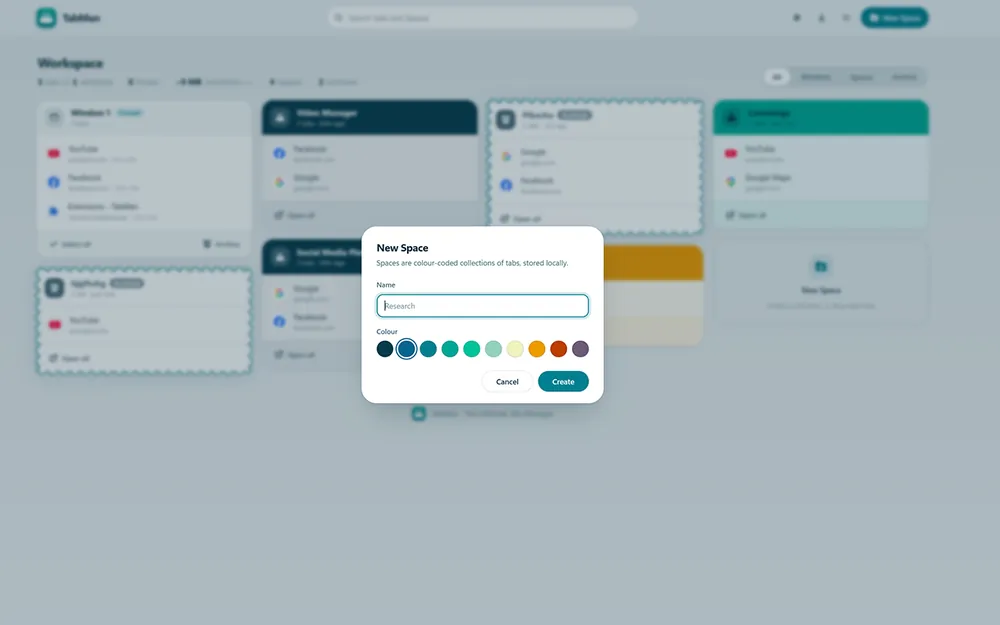
  • Spaces are colour-coded collections of tabs, and you can open a whole Space at once.
  • You can freeze tabs, archive Spaces and see roughly how much memory you've reclaimed.
  • Search works across all your tabs and Spaces.

Privacy

Spaces are stored locally. Nothing is sent anywhere.

Enhancify

Chrome extension · Free

Enhancify

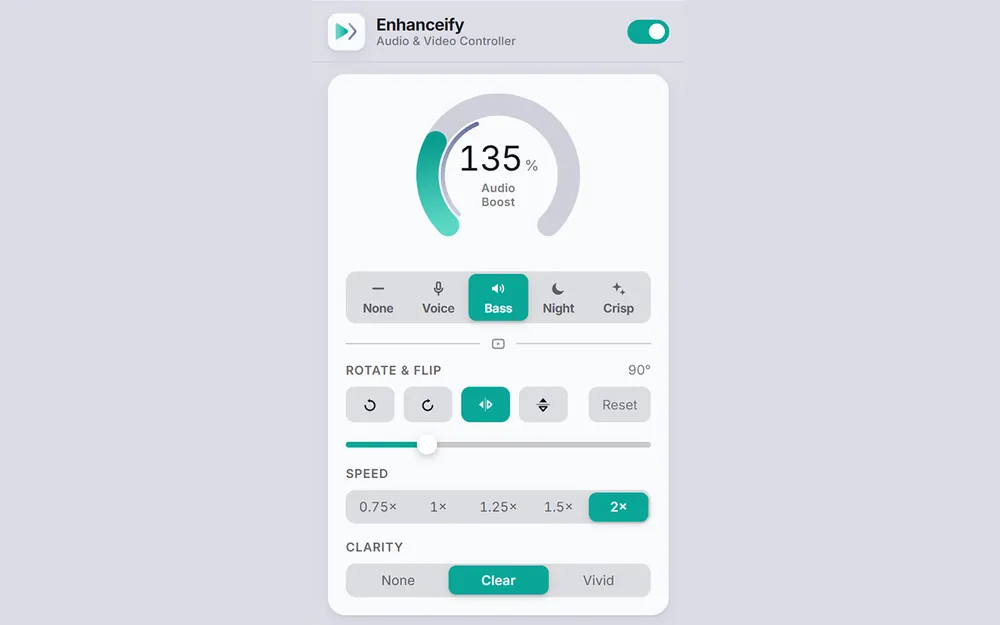
Louder audio, better video, on any page.

What it does

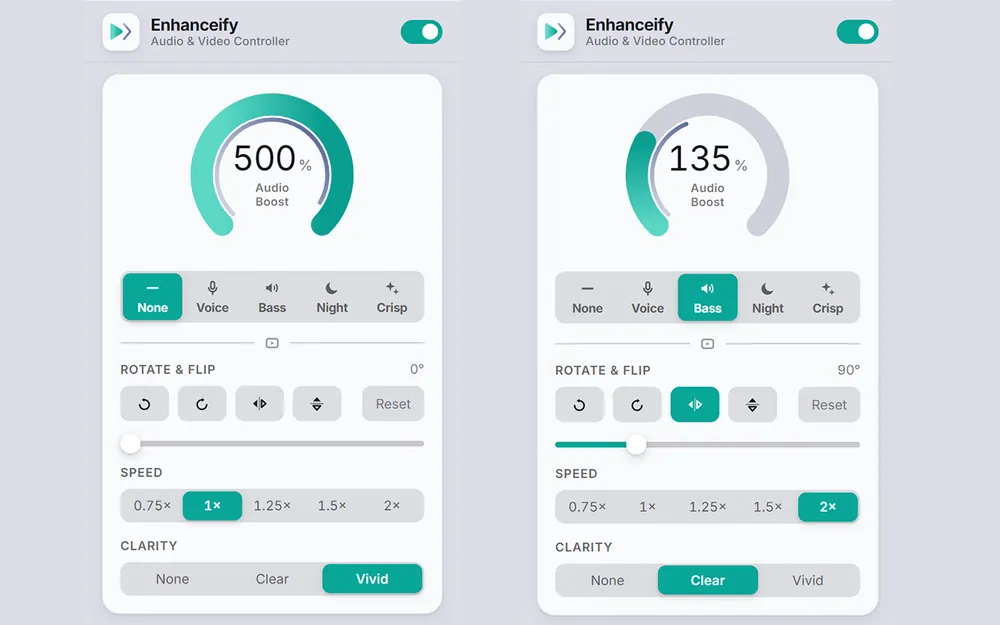
  • It boosts audio up to 500%, with presets for voice, bass, night and crisp.
  • It can rotate and flip a video, change its speed from 0.75× to 2× and sharpen the picture with Clear or Vivid.
  • One switch turns it all off.
Leaf Auto Reloader

Chrome extension · Free · Collects nothing

Leaf Auto Reloader

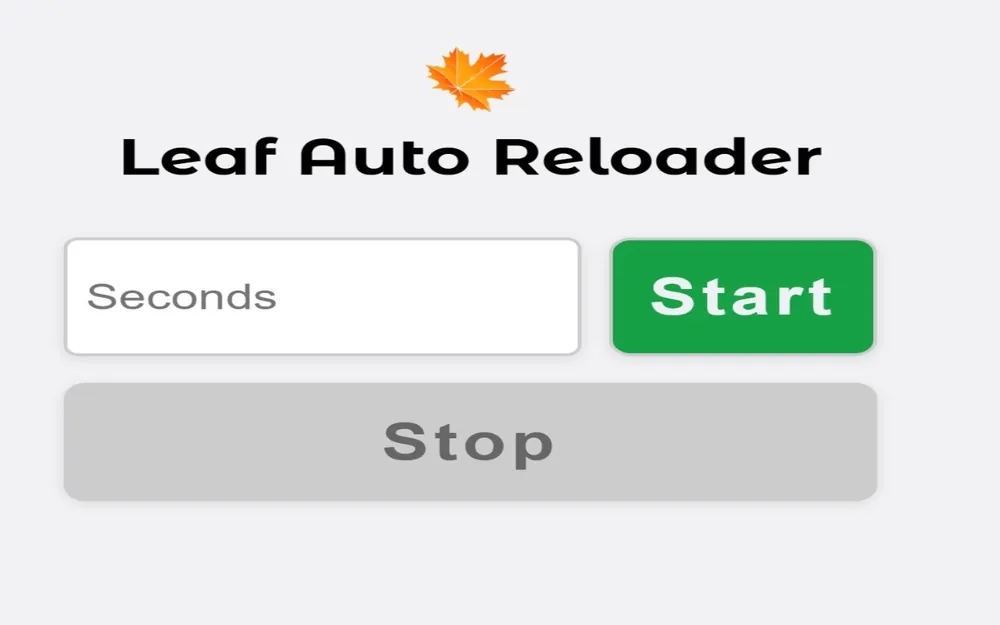
Reloads a tab on the timer you set.

What it does

  • You type a number of seconds and press Start. The tab reloads on that timer until you press Stop.
  • That's the whole extension.

Privacy

It doesn't collect any data, so there isn't a privacy policy to read.

About

Rahul Sehjal

Indie hacker · Toronto

I build small tools for the browser, the kind you install once and then forget about because they quietly do their job. Every extension I make is free, asks for no account and keeps your data on your device.

I'd rather build one thing that works well than many that almost work.

FoxLives in Rahul's room

Hi! I'm the fox on the chair. Ask me anything about Rahul.

Role
Indie hacker
Based
Toronto, Canada
Shipped
7 Chrome extensions, 1 web app
Fuel
Coffee

Contact

Say hi.

Got an idea for the next tool, found a bug, or just want to tell me the fox is cute? Email is best.

contact@rahulsehjal.com
Buy me a coffee
Based
Toronto, Canada
Local time
–
Coffee
buymeacoffee.com/rahulsehjal